

Look Before You Write
Suppose you tighten the schema on an account directory so that email has to
be a real address, plan has to be one of three values, and seats has to be
positive. TypeGraph validates on write, so everything written from then on is
checked, but rows stored before the change are never looked at again, and you
have no idea how many of them fail the new rules. You’d like a background
agent (or yourself, in a REPL) to find and fix them while sales reps carry on
editing the same accounts.
To do that safely the agent needs a cheap overview of what’s in the graph, a way to find the rows that don’t validate without reading everything back into memory, and a write that won’t clobber a change a person made after the agent read the row.
0.54 added store.describe(), store.validateStore(), and compareAndSet()
for those three jobs, plus planCandidateWriteSet() for reviewing a whole
batch before it lands, and 0.64 lets the first two run inside a transaction.
It’s the same loop runtime schema evolution
uses when an agent proposes changes to the schema itself: the agent looks at
the current state, proposes a change, and the change only applies if nothing
has moved since it looked.
The graph here is 240 accounts and 90 people created through the store, 60
memberOf edges, and three legacy Account rows inserted through the backend
directly, the way a writer running the old rules would have stored them. The
outputs below come from running this code against it on SQLite.
const Account = defineNode("Account", { schema: z.object({ name: z.string().min(1), email: z.email(), plan: z.enum(["free", "team", "enterprise"]), seats: z.number().int().positive(), ownerId: z.string().optional(), }),});What’s in the graph
Section titled “What’s in the graph”const { statistics } = await store.describe();for (const kind of [...statistics.nodes, ...statistics.edges]) { console.log(`${kind.entity} ${kind.kind}: ${kind.count}`); for (const property of kind.properties) { console.log( ` ${property.path} present=${property.presentCount} coverage=${property.coverage.toFixed(2)}`, ); }}node Account: 243 /email present=243 coverage=1.00 /name present=243 coverage=1.00 /ownerId present=60 coverage=0.25 /plan present=243 coverage=1.00 /seats present=243 coverage=1.00node Person: 90 /name present=90 coverage=1.00 /title present=30 coverage=0.33edge memberOf: 60 /role present=30 coverage=0.50Every declared kind gets a row count, and every declared property gets a
presence count and a coverage figure. /ownerId at 0.25 says 60 of 243
accounts have an owner, which is enough for an agent to decide where to spend
its attention before it reads a single row.
The counting happens in the database, and on this graph describe() runs two
statements, one for all node kinds and one for all edge kinds. The result also
records the schema version and hash it was computed under, and TypeGraph
checks that they didn’t change mid-way, so you never get statistics that
straddle a schema change.
What no longer fits
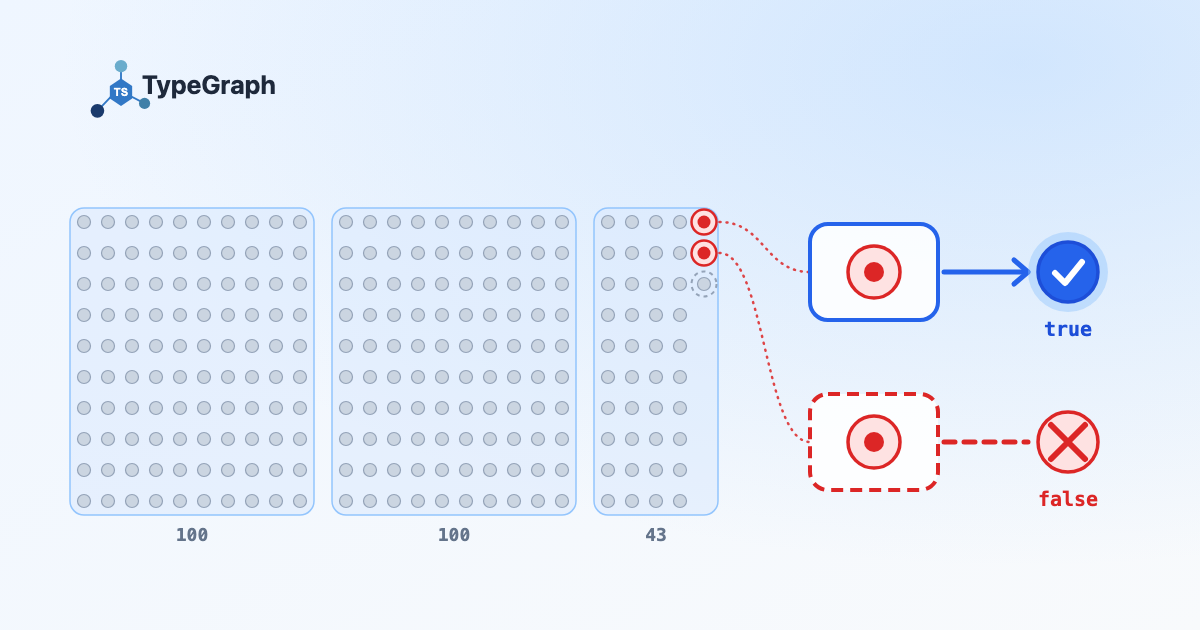
Section titled “What no longer fits”let cursor: string | undefined;do { const page = await store.validateStore({ entity: "node", kind: "Account", pageSize: 100, ...(cursor === undefined ? {} : { cursor }), }); console.log( `scanned ${page.scannedCount}, ${page.violations.length} violation(s)`, ); for (const failure of page.violations) { console.log(failure.id, failure.path, failure.reason); } cursor = page.nextCursor;} while (cursor !== undefined);scanned 100, 0 violation(s)scanned 100, 0 violation(s)scanned 43, 3 violation(s)acct_legacy_1 /email Invalid email addressacct_legacy_2 /plan Invalid option: expected one of "free"|"team"|"enterprise"acct_legacy_2 /seats Too small: expected number to be >0There are three violations across two records, because acct_legacy_2 breaks
two rules. Each failure carries the record id, a JSON pointer to the property,
the Zod issue code, and the reason. Each page is one bounded statement, and the cursor is tied to the
schema it started under. If the schema changes mid-sweep, the next page throws
StoreAnalysisCursorStaleError instead of quietly checking the rest against
different rules.
The third legacy row, acct_legacy_3, isn’t reported. It carries a
salesforceId the schema doesn’t declare, and undeclared properties count as
healthy extra data, so you can sweep a graph whose shape is changing at runtime
without every extra field showing up as a defect.
Fix a row without racing anyone
Section titled “Fix a row without racing anyone”The obvious repair is to call getById(), decide what to change, and call
update(), but a sales rep’s edit that lands between the read and the write
gets overwritten. compareAndSet() closes that gap by checking the expected
values and applying the update in one statement.
const applied = await store.nodes.Account.compareAndSet(id, { expected: { name: "Northwind", plan: "team", seats: 12 }, patch: { email: "ops@northwind.example" },});applied=true email=ops@northwind.example version 1 -> 2The interesting case is when someone else gets there first. Say the agent read
acct_legacy_2 and planned a repair, but before it applied, a person fixed
the row by hand and changed the email along the way. The agent’s guard names the email it read:
const applied = await store.nodes.Account.compareAndSet(id, { expected: { name: "Contoso", email: "it@contoso.example" }, patch: { plan: "team", seats: 5 },});applied=false seats=20 version 2 -> 2 updatedAt changed=falsefalse means nothing was written, so the person’s seats=20 stands and the
version didn’t move. It’s an ordinary return value rather than an exception,
and the agent should re-read the row and plan again.
To require that a property is missing, use the exported
compareAndSetAbsent marker (undefined is too easy to lose while an object
is being built or serialized). Here are two agents trying to claim the same
unowned account:
const claim = (ownerId: string) =>  store.nodes.Account.compareAndSet("acct_1", {    expected: { ownerId: compareAndSetAbsent },    patch: { ownerId },  });
console.log(await claim("rep-9"), await claim("rep-4"));
true falseThe first agent gets the account and the second finds out immediately, without a lock or a retry loop.
Expected values are checked against the property’s current schema, so you
can’t guard on a value that’s already invalid, which is why the repair above
guards on name, plan and seats rather than the bad email. The row also
has to be valid as a whole after the patch, so patching only plan on
acct_legacy_2 fails on seats before anything is written.
Review a batch before it lands
Section titled “Review a batch before it lands”A guard works for one row, but a partner feed offering a batch of accounts
is more of a review problem, where you want to see what would change before
anything does. planCandidateWriteSet() takes a serializable batch of nodes
and edges, stages it on a throwaway copy, and hands back an ordinary merge plan
without ever writing to the target.
const plan = unwrap( await planCandidateWriteSet({ target: store, makeBackend, options, // two Accounts with the same email are the same account writeSet: { formatVersion: 1, sourceId: "partner-feed", target: await captureCandidateWriteSetTarget(store), nodes: [partnerAccount7, partnerGlobex], edges: [], }, }),);upserts: 2 accounts still 243acct_7 name: keep "Account 7", feed says "Account 7 Holdings"acct_7 plan: keep "team", feed says "enterprise"acct_7 seats: keep 12, feed says 40The plan has one new account and one match on acct_7, where the feed
disagrees on three properties. The existing values win by default and the
disagreements go on the review, so “enterprise, 40 seats” becomes a line item
for a person to look at instead of a silent overwrite.
If something unrelated writes to the graph before you apply, applying the original plan fails:
StaleMergePlanError: The target revision changed after this merge plan was created; the plan was not applied. accounts 243Re-planning and applying takes the count to 244. The plan is tied to the target’s revision rather than only the rows it touches, so any write makes it stale, which is cheap to recover from for a bounded batch. When a person’s approval has to sit between planning and applying, durable review handles it.
One consistent snapshot
Section titled “One consistent snapshot”At the root store, each describe() statement and each validateStore() page
is its own read. TypeGraph catches schema changes between those reads but not
data changes, so when a sweep needs one consistent view, 0.64 puts both methods
on the transaction context:
const summary = await store.transaction( async (tx) => { const { statistics } = await tx.describe(); // ...page through tx.validateStore() exactly as above }, { isolationLevel: "repeatable_read", accessMode: "read_only" },);{ accounts: 244, scanned: 244, violations: [] }The violations are gone because both repairs landed earlier in the run. Use
repeatable_read or serializable and consume every page inside the
callback.
Limits
Section titled “Limits”describe()covers directly addressable declared properties. It doesn’t guess through$ref, unions, arrays, or conditionals.validateStore()is the authority for those.- Both are current-state only. There’s no “what did the data look like last month” analysis.
- A guard can only protect what it can name. You can’t guard on an invalid value, so if a person and an agent both repair the same bad field, a guard on its neighbors won’t tell them apart. The revision-fenced plan is the alternative there.
- Planning copies the whole target, so its cost scales with the graph. It’s for bounded review workflows, not a hot path.
Upgrading
Section titled “Upgrading”Writing this post turned up two bugs in 0.68.0 and earlier.
planCandidateWriteSet() fails on a target that holds a row with undeclared
properties, like acct_legacy_3 above
(#733), and
compareAndSet() throws a raw Zod error on a kind whose schema has an
object-level .refine()
(#734). Both are fixed in
0.68.1 (#735,
#737), which the examples
here assume.
BulkOperationHookContext["operation"] now includes "compareAndSet", so an
exhaustive switch over it needs the new case. If you run mixed versions
during a rollout, upgrade every process that writes schema versions to 0.54
before using graph-scoped annotations (also new in 0.54: metadata on the graph
itself, carried through extensions and returned by describe()). Older
writers drop fields they don’t recognize.
Try it
Section titled “Try it”describe()andvalidateStore()compareAndSet()andcompareAndSetAbsentplanCandidateWriteSet()- GitHub
Stay in the loop
Occasional updates on new features, guides, and releases. No spam.